Releasedv0.1.0
Asset Library
Every asset you own, one search away. A free panel for Premiere Pro.
Free and open source (MIT licence)
Screenshots
What it does
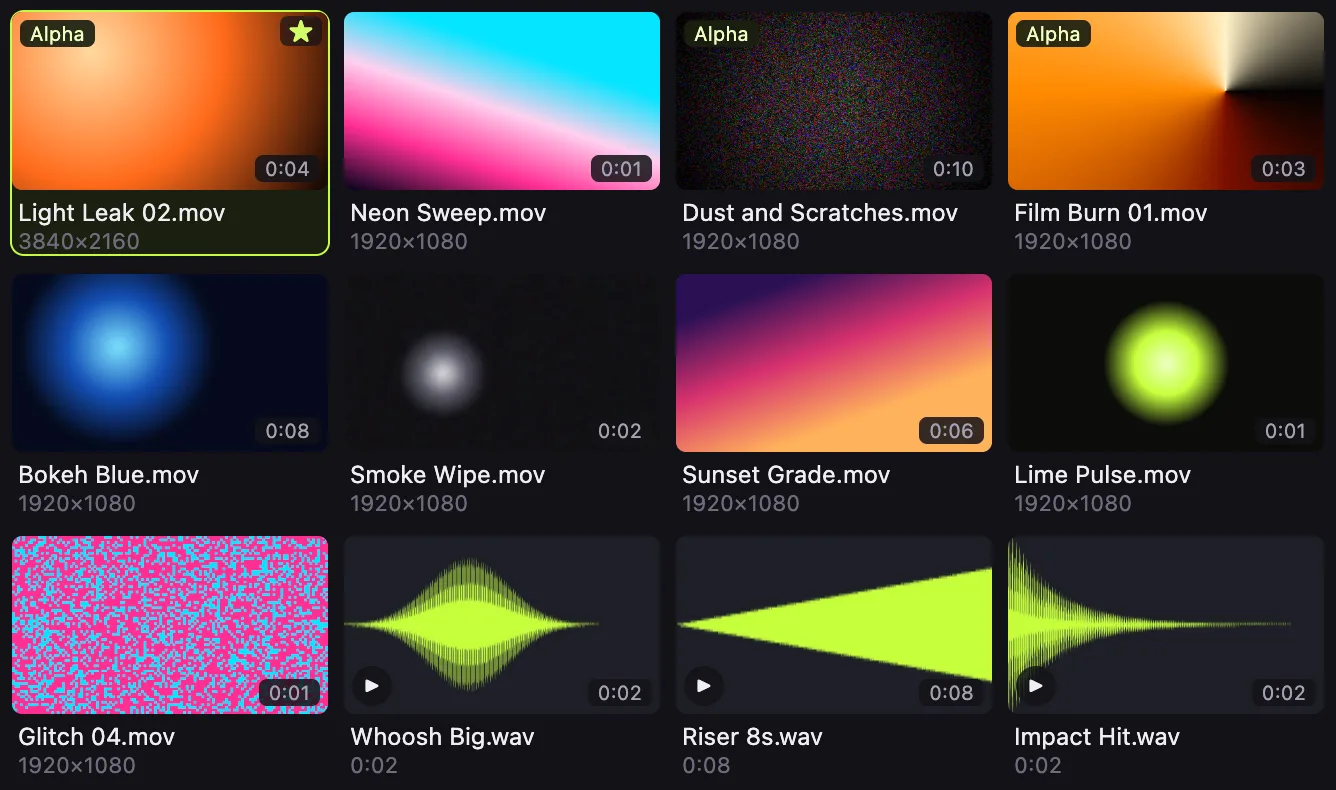
Search, preview and place your own transitions, overlays, sound effects, music, footage and images without leaving Premiere Pro. It runs on your Mac, with no account and no cloud.
- Search and preview inside Premiere Pro Thumbnails for footage and images, waveforms for audio, hover-scrub for video, and search across names, folders and tags, in a docked panel.
- Place clips at the playhead Insert or overwrite at the playhead, or drag onto the timeline. The same file is never imported twice.
- Your folders and drives, kept up to date It indexes video, audio and images from the folders and external drives you add, in the background.
- Your files stay where they are It never moves, renames, changes or deletes your files.
- Local and private No account, no cloud library, no analytics. It works offline.
- Favorites and tags Star what you reach for most and narrow the grid in one click.
Install on a Mac
You download Goated Panels Hub. It installs Asset Library into Premiere Pro.
Works with: Premiere Pro 24 to 26 (tested on 26.5)
- Download the .dmg for your Mac: arm64 for Apple silicon (M1 and later), x64 for Intel.
- Open the .dmg and drag Goated Panels Hub into Applications.
- Open Goated Panels Hub. macOS blocks it the first time: try once, close the warning, then go to Apple menu > System Settings > Privacy & Security, click Open Anyway and enter your Mac password.
- In the Hub, on Install, keep Premiere Pro selected and click Install Asset Library.
- Restart Premiere Pro and open Window > Extensions > Asset Library.
- Add the folders or drives that hold your assets. Then search, and double-click a tile to place it at the playhead.
Not sure which Mac you have? Open the Apple menu, then About This Mac. A Chip line that starts with Apple M means Apple silicon. A Processor line with Intel means Intel.
Windows: coming. A build exists but is not released yet.
Roadmap
- DoneMac release for Apple silicon and Intel (0.1.0)
- NextWindows release
- LaterA panel for After Effects
- LaterSigned installers, so macOS stops warning on first launch